Schema markup for mortgage websites: a practical guide
Schema markup for loan officer websites: which JSON-LD types to use, a working example, how entities connect, and mistakes to avoid.
 Marcus OkaforSearch and speed engineer, Mortgage Website ShopPublished · Updated · 5 min read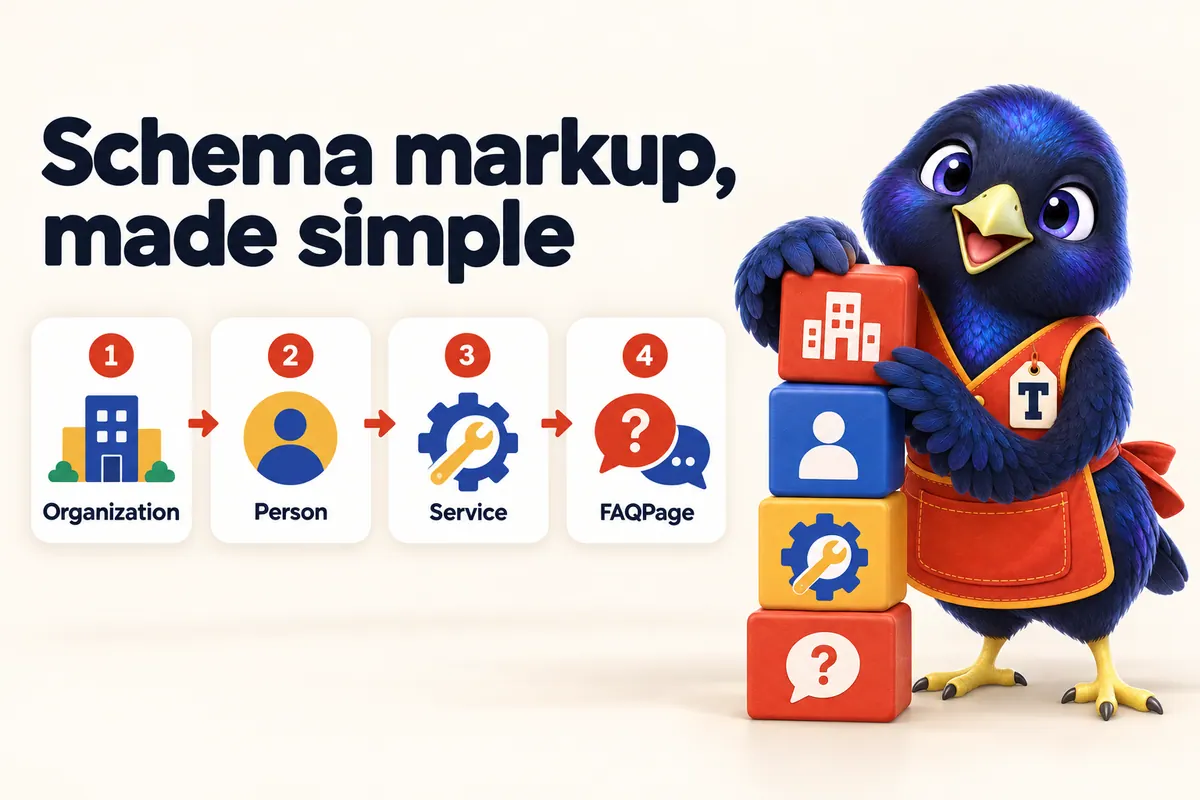
KEY TAKEAWAYS
- Schema markup labels what a page is and who is behind it, for search engines and AI systems.
- Most loan officer sites need Organization or FinancialService, Person, Service, FAQPage, BreadcrumbList and BlogPosting.
- Connect entities with @id references so the loan officer, company and pages form one graph.
- Mark up only what is visible on the page, and never mark up sample or invented reviews.
Schema markup is the label on the jar: a small block of structured data that tells search engines and AI systems exactly what a page is about and who is behind it. For a loan officer site, that means saying clearly “this is a mortgage company, this is a licensed loan officer, these are the programs offered, and these are the questions answered on this page”.
This guide covers which types to use, how they connect, a working example, and the mistakes that cause problems.
core schema types most loan officer sites need
This guide
FAQPage block per page, containing all of that page's questions
Google structured data guidelines
invented or sample reviews that should ever be marked up
Google review snippet guidelines
What schema types does a loan officer site need?
Most loan officer and broker sites need six types: Organization (or FinancialService) for the company, Person for each loan officer, Service for programs, FAQPage for visible questions, BreadcrumbList for navigation, and BlogPosting for articles. A WebSite node with a search action completes the set.
| Page | Primary type | Also include |
|---|---|---|
| Home | Organization / FinancialService | WebSite (SearchAction), Service list |
| About / LO profile | AboutPage + Person | BreadcrumbList |
| Program page (FHA, VA…) | Service | FAQPage, BreadcrumbList |
| Calculator page | WebPage | FAQPage, BreadcrumbList |
| Blog post | BlogPosting | Person, FAQPage, BreadcrumbList |
| Contact | ContactPage | ContactPoint |
- BlogPosting: 45%
- Service (programs): 25%
- WebPage (tools, legal): 20%
- Profile / About: 5%
- Home and contact: 5%
Source: Illustrative example of a typical site plan, not measured data
Show the data table
| Segment | Share |
|---|---|
| BlogPosting | 45% |
| Service (programs) | 25% |
| WebPage (tools, legal) | 20% |
| Profile / About | 5% |
| Home and contact | 5% |
How do the entities connect?
The most useful thing you can do with schema is connect entities using @id. Give the company an identifier (for example your-domain.com/#organization) and the loan officer one (your-domain.com/about/#person). Then every BlogPosting’s author points to the Person, the Person’s worksFor points to the Organization, and every page’s publisher points to the Organization. Search engines and AI systems then see one coherent graph rather than disconnected fragments.
What does a working example look like?
Here is a simplified example for a fictional loan officer. Names and NMLS numbers are placeholders.
{
  "@context": "https://schema.org",
  "@graph": [
    { "@type": "FinancialService", "@id": "https://example-lo.com/#org",
      "name": "Example Home Loans", "url": "https://example-lo.com/",
      "areaServed": ["TX", "OK"],
      "identifier": { "@type": "PropertyValue", "propertyID": "NMLS", "value": "0000000" } },
    { "@type": "Person", "@id": "https://example-lo.com/about/#person",
      "name": "Jordan Example", "jobTitle": "Loan Officer",
      "worksFor": { "@id": "https://example-lo.com/#org" },
      "identifier": { "@type": "PropertyValue", "propertyID": "NMLS", "value": "0000000" } },
    { "@type": "Service", "name": "FHA loans",
      "provider": { "@id": "https://example-lo.com/#org" } }
  ]
}Why generate schema instead of hand-writing it?
Hand-written schema drifts. A phone number changes on the page but not in the markup, a loan officer leaves but stays in the Person nodes, a FAQ is edited but the FAQPage block is not. Generating schema from one data source keeps markup and page identical, which is also what Google’s guidelines require.
- Outdated values
- Missing on new pages
- Invisible content marked up
Source: Illustrative example to show the pattern, not a measured study
Show the data table
| Label | Outdated values | Missing on new pages | Invisible content marked up |
|---|---|---|---|
| Hand-written | 6 | 9 | 3 |
| Generated from data | 0 | 0 | 0 |
What mistakes should you avoid?
- Marking up invisible content. If it is not on the page, it should not be in the markup.
- Review stars on your own reviews or samples. Google restricts self-serving review snippets, and fabricated or sample reviews must never be marked up.
- Multiple FAQPage blocks. Use one per page with all its questions.
- Disconnected entities. Without @id links, the company, loan officer and articles look unrelated.
- Wrong types. Do not call a website provider a FinancialService; do not call a blog post a Product.
- Never validating. Test key pages in the Rich Results Test and Schema.org validator after every major change.
Two approaches to schema
Plugin defaults
Pros
- Quick to switch on
Cons
- Generic types
- Often disconnected
- Can mark up the wrong things
Best for: A starting point only
Generated graph
Pros
- Accurate types per page
- Connected with @id
- Always matches visible content
Cons
- Needs a structured data source
Best for: Sites that want search and AI systems to understand them precisely
How should schema be planned across a whole site?
Plan schema at the site level before adding it page by page. Start by listing your entities: the company, each loan officer, each program you offer, and the site itself. Give each a stable @id. Then map page types to schema types, as in the table above, and decide which data source feeds each property (for example, the company’s name and NMLS ID from one company data file, loan officer details from a team file, prices and plans from a pricing file).
This planning step prevents the most common problem with schema: different pages describing the same entity in slightly different ways. When every page pulls the same entity from the same source, search engines and AI systems see a single, consistent picture.
Which properties matter most for a loan officer?
For the Organization or FinancialService node, the most useful properties are name, url, logo, description, areaServed, contactPoint, and an identifier for the company NMLS ID. For each Person, include name, jobTitle, worksFor (pointing to the Organization by @id), image, description, and an identifier for the individual NMLS ID. For Service nodes, include name, description, provider and areaServed.
Keep descriptions consistent with what the page says. If your about page describes you as a first-time buyer specialist, the Person description should say the same thing.
How does schema support AI assistants?
AI assistants combine many sources to answer a question. Structured data helps them confirm that a page is about a specific company and loan officer, that a program page describes a specific service, and how these relate. That reduces the chance of an assistant mixing you up with someone else with a similar name, which is a real risk in an industry with many professionals sharing common names.
Schema is one part of GEO. It works alongside plain, sourced facts on the page, consistent names across the web and an llms.txt file that points AI tools to your key pages.
A schema review routine
Add schema checks to your regular site review:
- Pick five representative pages: home, about, a program page, a blog post and contact.
- Run each through the Rich Results Test and the Schema.org validator.
- Check that every value in the markup matches what is visible on the page.
- Confirm the @id references connect: author to Person, Person to Organization.
- Look for pages without breadcrumbs or with duplicate FAQPage blocks.
- Fix issues at the data source so every page benefits.
What about breadcrumbs and site search?
BreadcrumbList markup helps search engines show a clean path for a page in results and understand your site hierarchy. Make sure every page below the home page has visible breadcrumbs that match the markup. A WebSite node with a SearchAction describes your site search; only add it if your site actually has a working search page.
How does schema work for branches and teams?
Branch and team sites have more entities, which makes connections even more important. Give the branch (or company) one Organization node, give each loan officer a Person node with their own @id and NMLS identifier, and make each loan officer’s profile page an AboutPage or ProfilePage whose main entity is that Person. Blog posts written by individual loan officers should point to the right Person as author. When a loan officer leaves, remove or update their Person node at the same time as their profile page, so the markup never describes someone who no longer works there.
Do you need a developer to add schema?
Not necessarily. Many platforms and plugins add basic schema automatically, and you can paste JSON-LD into most site builders. The challenge is keeping it accurate and connected as the site changes. If your provider generates schema from the same data that renders your pages, accuracy takes care of itself. If you are adding it by hand, keep a short document listing each entity, its @id and where its data comes from, and review it whenever you update the site.
The bottom line
Schema will not rank a weak page, but it makes a strong page unambiguous. Use the six core types, connect them with @id, mark up only what visitors can see, keep reviews honest, and validate. Then your site tells search engines and AI assistants the same clear story it tells borrowers. See our schema standard and the wider SEO, AEO and GEO guide.
Frequently asked questions
What is schema markup?
Schema markup is structured data, usually in JSON-LD format, that describes a page using the shared schema.org vocabulary: the organisation, people, services, FAQs, articles and breadcrumbs on it.
Which schema types should a loan officer use?
Organization or FinancialService for the company, Person for each loan officer, Service for loan programs and offerings, FAQPage for visible FAQs, BreadcrumbList for navigation, and BlogPosting for articles.
Is there a mortgage-specific schema type?
Schema.org includes FinancialService (a LocalBusiness subtype) and LoanOrCredit types such as MortgageLoan. Use them only where they accurately describe visible content.
Does schema markup improve rankings?
Schema is not a direct ranking boost. It helps search engines understand pages and can make them eligible for some rich results, which can improve how results look.
Can I add review stars with schema?
Only for genuine reviews visible on the page, and Google limits self-serving review rich results for businesses reviewing themselves. Never mark up sample or fabricated reviews.
What is JSON-LD?
JavaScript Object Notation for Linked Data: a script block in the page that holds the structured data separately from the visible HTML. It is the format Google recommends.
What does @id do?
It gives an entity a stable identifier so other entities can reference it. A BlogPosting can point to the author's Person by @id, which points to the Organization.
How do I test my schema?
Use Google's Rich Results Test for eligibility and the Schema.org validator for general correctness.
Should NMLS IDs go in schema?
They can be added as an identifier (PropertyValue) on the Organization and Person, matching what is displayed on the page.
Can schema be wrong in a harmful way?
Markup that describes content not visible on the page, or that is misleading, can lead to manual actions. Generate it from the same data as the visible page to avoid drift.
Sources
- Google Search Central: Introduction to structured data (read 2026-10-19)
- Schema.org: FinancialService (read 2026-10-19)
Statistics are quoted with source and date. Mortgage Website Shop is a website and marketing provider, not a lender; this article is general information, not legal or financial advice.